
Is Brex Free? What Essentials Covers and When $12 a User Pays Off
Brex pricing explained: Essentials is $0, Premium is $12 per active user a month, Enterprise is custom. Plus the FX markup, trip fees and who qualifies.
Updated 11 min read


Brex pricing explained: Essentials is $0, Premium is $12 per active user a month, Enterprise is custom. Plus the FX markup, trip fees and who qualifies.
Brex pricing starts at $0 per user on Essentials, which already includes corporate cards, bill pay, reimbursements and travel booking. Premium costs $12 per active user per month, and Enterprise is quoted. The costs most teams miss sit outside the plan: an FX markup of up to 3% and a fee on every new trip booked on paid plans.
Brex is a corporate card, expense and business account platform, now a wholly owned subsidiary of Capital One. This page is about cost only; the full Brex review covers features, rewards and the product itself. Read on for what each plan includes, the fee lines, the billing fine print and what a 10, 50 or 100 person team pays.
Brex sells corporate cards, expense management, bill pay, travel booking and a business account in one platform. Capital One completed its acquisition of Brex on April 7, 2026, and Pedro Franceschi stayed on as CEO. The pricing page footer now names Brex LLC as a wholly owned subsidiary of Capital One, N.A.
The pricing model is unusual for software. The base plan is free because Brex earns money on card spend: its help center says that for every Brex card transaction, Brex makes a percentage of the interchange fee, split with the card network. You pay per user only when you want the advanced controls in Premium.
Founders on Reddit hear the same logic when they ask in r/startups why startups pick Brex or Ramp over a bank card: these providers earn the same interchange and put it into software.
Brex is built for US companies. Every applicant needs a US EIN, a valid US incorporation, US operations and a US physical address, so a non-US company cannot buy its way in by choosing a plan.
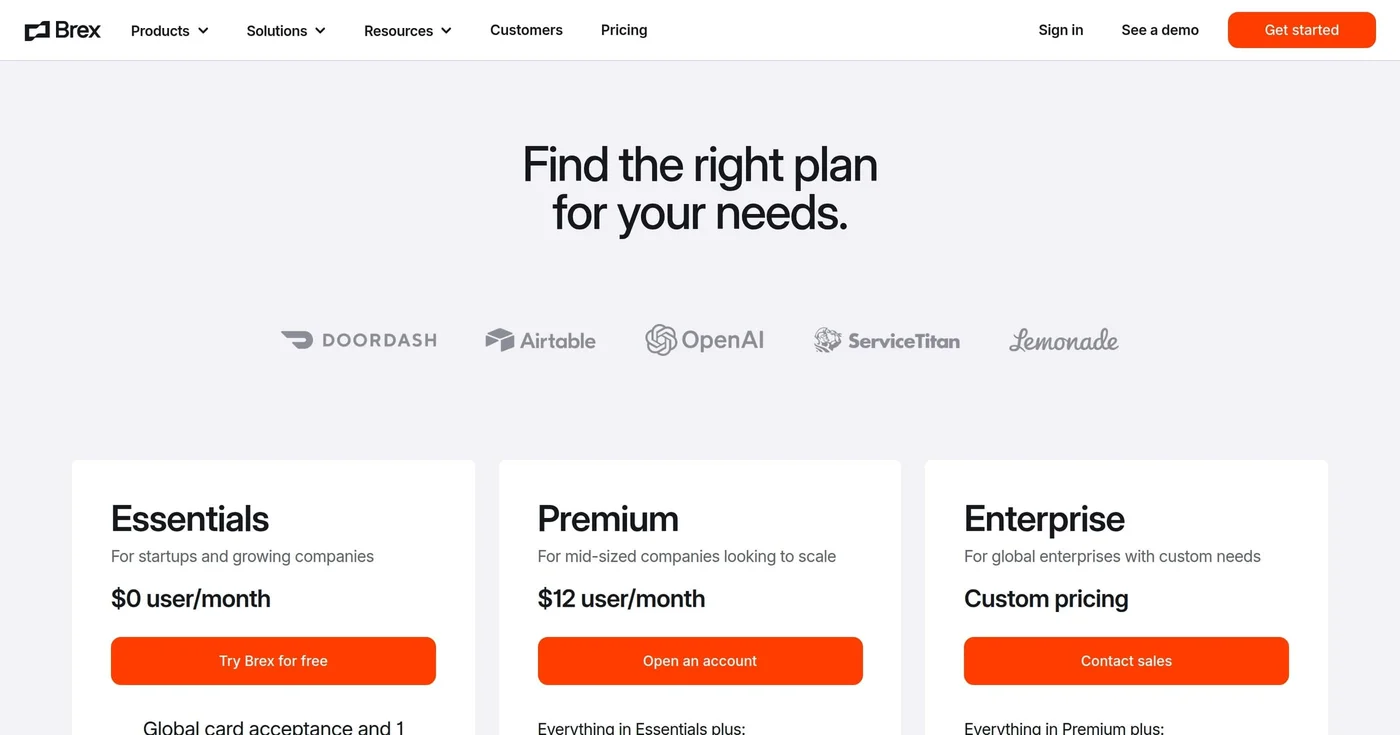
Brex lists four options on its pricing page, checked on November 28, 2026. Prices are per user per month in USD, with no annual toggle on the page.
Plan | Price | Key features | Best for |
|---|---|---|---|
Essentials | $0 per user/month | Global card acceptance and 1 local card program, AI-powered custom rules, up to two entities (1 global), accounting integrations, local currency wires, free travel booking, bill pay, reimbursements, Brex API | Startups and growing companies |
Premium | $12 per user/month | Everything in Essentials plus multiple expense policies, dynamic review chains, Live Budgets, multi-entity (US and international), ERP and HRIS integrations, VAT documentation, group travel | Mid-sized companies |
Enterprise | Custom pricing | Everything in Premium plus unlimited US or global entities, local card issuance, named account manager, admin center, custom implementation | Global enterprises |
Smart Card | Custom pricing | Global cards accepted worldwide, local-currency cards in 50+ countries, merchant card controls and custom approvals | Procurement-led companies |
Premium is the only paid plan with a public price. Enterprise and Smart Card go through sales, and the Premium Upgrade Terms say negotiated or enterprise agreements are governed only by the contract you sign.
The compare table marks these as included on all three main plans, Essentials among them:
Travel deserves a note. The pricing page labels travel booking "free on Essentials", and the travel help article confirms that on Essentials you won't be charged a trip fee. That changes on paid plans (see the fees section below).
The ceiling of Essentials is structure. You get up to two entities and no multiple custom expense policies, custom roles, advanced SSO or audit logs. A small team with one entity may never need those.
Premium adds the controls that matter once several teams spend on cards. Per the compare table, these rows are Premium and Enterprise only:
The math is simple because it is linear. At $12 per active user per month:
Active users | Monthly | Yearly |
|---|---|---|
10 | $120 | $1,440 |
25 | $300 | $3,600 |
50 | $600 | $7,200 |
100 | $1,200 | $14,400 |
The question to ask is whether one Premium feature replaces a tool or a person-hour you already pay for. If you need HRIS sync, audit logs or advanced SSO, Premium is the cheapest Brex plan that has them.
The self-serve Premium Upgrade Terms, revised April 6, 2026, hold the details most pricing summaries skip:
Contracted customers bill differently. The help center says plan usage is billed either in arrears with net 30 terms or upfront, per your contract. Contracts set a committed user count; users above it appear as a separate "Users - Overages" line priced by contract, and card statements are billed separately from software.
Set a calendar reminder for day 25 of the trial. Downgrading later can leave policies or budgets you built in Premium read-only.
The plan price is only one line. Brex's cost of services article and fee schedule list the rest.
Domestic card transactions carry no extra fees by default. When a card transaction needs currency conversion, Brex applies an FX rate markup of up to 3%, with rates adjusted daily.
The card page FAQ says Brex does not charge foreign transaction fees, then adds that it may apply the FX markup of up to 3% when a transaction requires conversion. For budgeting, treat it as a fee: $10,000 a month of converted spend can cost up to $300 a month. Brex's own answer to the markup is local-currency cards: Essentials includes 1 local card program, and Enterprise adds local card issuance.
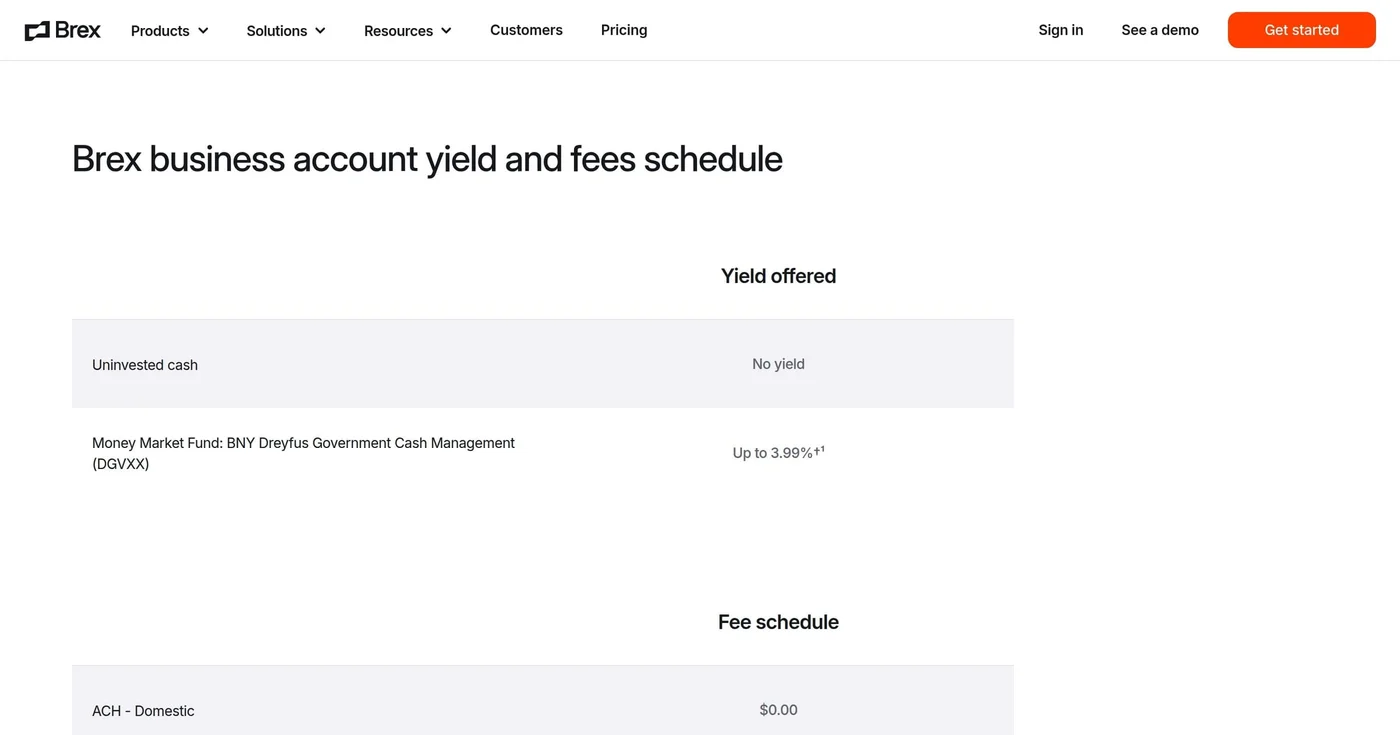
The rates and fees schedule lists $0.00 for domestic and international ACH, sending and receiving checks, incoming and outgoing domestic and international wires, account opening and account maintenance. Your recipient's bank or an intermediary bank may still charge its own wire fee.
On Premium, Enterprise and Smart Card, Brex may charge a single fee per trip. Adding a booking to an existing trip costs nothing extra, but every new trip incurs a fee, shown as one total on your invoice. Trip fees are generally nonrefundable, with refunds for ticketing failures or airline-initiated cancellations.
Brex does not publish the amount in the help article, so ask for it before you upgrade a travel-heavy team. To keep the count down, put a multi-city itinerary (flights, hotels, rental car) under one trip.
Brex pulls card payments automatically, and autopay for card statements cannot be turned off. The statement period is generally one month on monthly payments or one business day on daily payments, which matters for cash flow planning more than for fees.
Eligibility decides which version of the card you get, and that changes how much cash you need on hand. Brex's account requirements say:
A startup under the $50,000 bar can still apply and may get the business account with daily payments. On daily payments, Brex collects your pending card balance from your checking account every evening, so the card works more like a charge-and-settle tool than a month of float. The Brex review goes deeper on approval and limits.
Brex is a good fit for:
Brex is a poor fit for:
If Brex isn't the right fit, consider:

Semrush API pricing review: the SEO API plan is $499.92/mo billed annually with 1M units included. Pack prices, v4 unit costs, and who should skip it.

Deel pricing checked live: EOR from $599/month, contractors from $49, HR from $5. Plus the EOR deposit, card fees and FX rules that change what you pay.

VWO pricing is now quote-only under the Wingify brand. See the Growth, Pro and Enterprise plans, how traffic quotas work, and what 103 buyers paid.
