
n8n Pricing: Cheap Per Run, Expensive the Moment You Need SSO
n8n Cloud starts at €20/month for 2,500 executions, but SSO and Git start at €667/month self-hosted. Every plan, price and execution rule, checked.
Updated 14 min read


n8n Cloud starts at €20/month for 2,500 executions, but SSO and Git start at €667/month self-hosted. Every plan, price and execution rule, checked.
n8n pricing starts at €20/month for 2,500 cloud executions on annual billing and climbs to €4,371/month for 500,000 executions on the self-hosted Business plan. The per-run model makes n8n far cheaper than per-step tools like Zapier for complex workflows. The catch is security: SSO, LDAP and Git version control start at €667/month, more than 13 times the €50 Pro plan, and only on your own servers.
Where you land on that ladder decides whether n8n is a bargain or a budget surprise.
n8n is a workflow automation platform founded in Berlin in 2019. It sells two tracks: cloud plans that n8n hosts, and self-hosted licenses that run on your infrastructure. The split drives every meaningful cost decision.
Workflow complexity, execution volume and whether you need SSO decide whether n8n is worth it. Feature comparisons with competitors come second.
n8n is a workflow automation platform that lets engineering and operations teams connect APIs, databases and AI models without writing custom integration code for every link. It competes with Zapier, Make and Windmill, but differs in two ways. It bills per workflow run rather than per action, and its self-hosted Community Edition is free under a source-available license.
Jan Oberhauser founded n8n in 2019.
In October 2025 the company raised a $180M Series C at a $2.5B valuation, bringing total funding to $240M. In May 2026 a secondary share sale to SAP valued n8n at $5.2B. The n8n GitHub repository has more than 210,000 stars.
That pull between enterprise buyers and a self-hosting developer community shows up most clearly in the pricing.
n8n bills per workflow run, not per step. An execution is one run of the whole workflow, however many nodes it has.
A 10-step workflow running 1,000 times costs you 1,000 executions. Zapier's pricing page says every step in a Zap uses tasks, so the same workflow costs about 10,000 tasks there. Make bills in credits, and most actions use one credit each.
Billing model | n8n | Zapier | Make |
|---|---|---|---|
Unit | Per workflow run | Per task (each step) | Per credit (most actions use 1) |
10-step workflow × 1,000 runs | 1,000 executions | About 10,000 tasks | About 10,000 credits |
For simple two-step automations at low volume, the difference is small. For workflows with API enrichment, branching or AI steps, n8n's unit count can be an order of magnitude lower.
n8n's execution docs list what counts and what doesn't:
Sub-workflows are free. Only the parent execution counts, so you can build modular, reusable workflows without paying for the orchestration layer.
Failed runs don't count either. n8n's Cloud FAQ states that failed executions do not count against the quota. Hit the monthly limit, though, and every new execution fails immediately with "Execution limit reached" until the limit resets at the start of the month or you upgrade.
The most common way to burn through a plan is a Schedule Trigger that runs every few minutes to check for new data. The docs say a Schedule Trigger counts one execution every time it fires, whether or not it finds anything.
A schedule that fires every 5 minutes runs 12 times an hour. Across a 30-day month that is:
12 × 24 × 30 = 8,640 executions/month
n8n's own pricing FAQ puts a 5-minute schedule at about 8,600 to 8,900 executions a month. The Starter plan includes 2,500, so that one workflow exhausts it in under nine days. On the 10,000-execution Pro plan, it uses 86% of the month's quota.
Four fixes keep the count down:
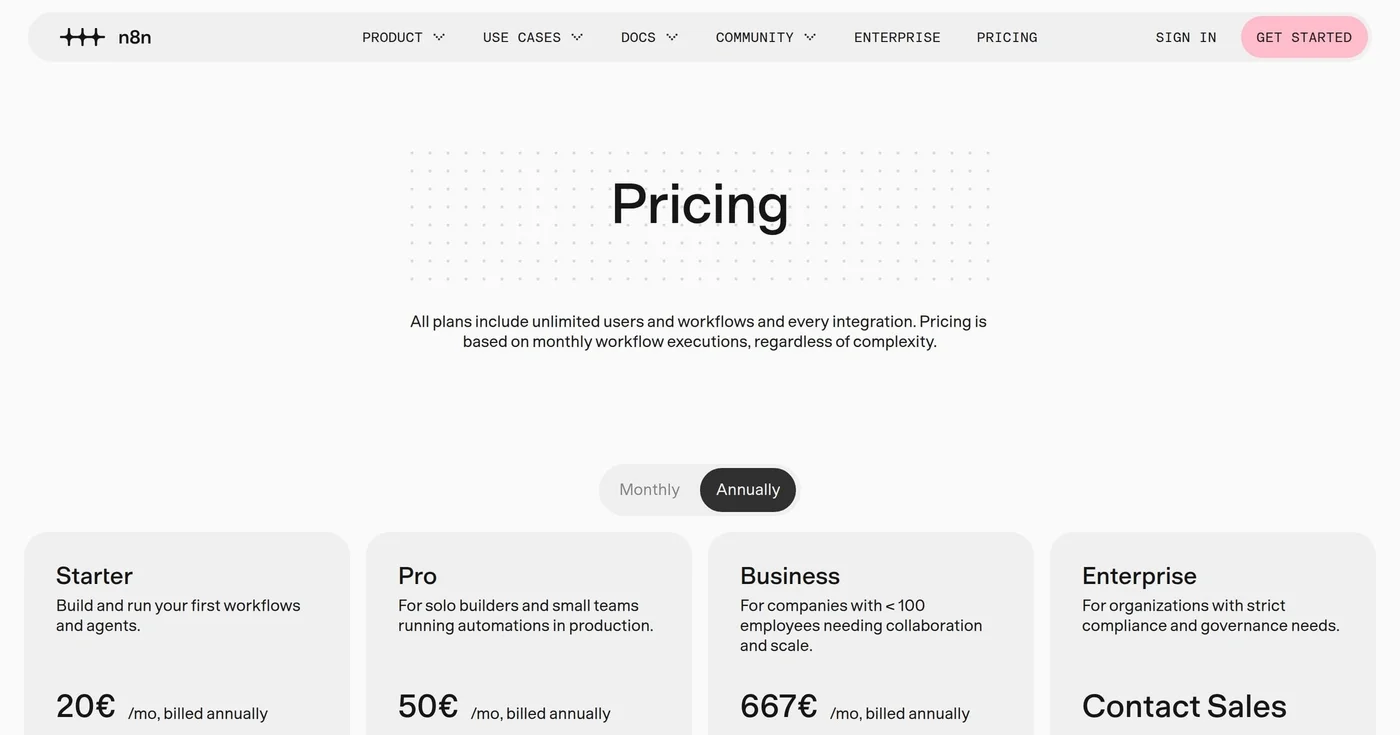
Prices below are from n8n.io/pricing, checked on November 18, 2026.
Plan | Hosting | Annual billing | Monthly billing | Executions/mo | Concurrent |
|---|---|---|---|---|---|
Starter | Cloud | €20/mo | €24/mo | 2,500 | 5 |
Pro (10K) | Cloud | €50/mo | €60/mo | 10,000 | 20 |
Pro (50K) | Cloud | €120/mo | €144/mo | 50,000 | 50 |
Community Edition | Self-hosted | Free | Free | Unlimited | Unlimited |
Business | Self-hosted | From €667/mo | From €800/mo | 40,000 to 500,000 | Unlimited |
Enterprise | Cloud or self-hosted | Contact sales | Contact sales | Custom | 200+ |
Every plan includes unlimited users, unlimited workflows and every integration, and n8n's integrations directory lists more than 2,000. There is no per-seat pricing, so a whole company can share one account.
Annual vs monthly billing: The pricing page defaults to annual prices and labels annual billing "Save 17%". €24 vs €20 and €60 vs €50 are the same plans at different billing cadences, not price changes.
Free trial: n8n Cloud has no free plan. The docs describe a 14-day trial with Pro features, and the pricing page caps it at 1,000 executions with no credit card required. The self-hosted Community Edition stays free with no expiration.
Currency: n8n showed us euro prices. It also sets separate dollar prices: the Business plan has € and $ contract forms, and its overage line lists €4,000 or $4,800 per extra 300,000 executions. Check the page in your own region before you budget.
Pro now has a volume step: two sizes, both billed annually, at 10,000 executions for €50/month and 50,000 for €120/month. The Cloud FAQ says monthly subscribers on its Pro-2 plan can add executions themselves, up to 500,000 a month. That covers volume growth, not SSO.
SSO, LDAP and Git version control are not on any cloud plan below Enterprise. On n8n, the cheapest way to get them is the self-hosted Business plan.
The jump from Pro (10K) at €50/month to Business at €667/month is a 1,234% increase. Even from the 50,000-execution Pro tier, matching volume on Business costs €821/month instead of €120, 6.8 times as much for the same executions. For comparison:
Platform | Tier jump | Entry prices (annual) | Increase |
|---|---|---|---|
n8n | Pro (10K) → Business (40K) | €50 → €667 | +1,234% |
n8n | Pro (50K) → Business (50K) | €120 → €821 | +584% |
Zapier | Professional → Team | $19.99 → $69 | +245% |
Zapier's Team plan includes SAML SSO, per its pricing page. Its Professional plan starts at 750 tasks and Team at 2,000, so the two entry prices also buy different task volumes.
A team that gains its first SSO requirement on n8n has three options: run the free Community Edition without SSO, pay for Business on its own servers, or negotiate Enterprise. Startups get one softer landing: the Startup plan gives Business features for €333/month (annual) to companies with fewer than 20 employees and less than €5M in total funding.
The full feature-gate picture:
Feature | Starter | Pro | Business | Enterprise |
|---|---|---|---|---|
SSO and LDAP | ❌ | ❌ | ✅ (self-hosted only) | ✅ |
Git version control | ❌ | ❌ | ✅ | ✅ |
Multiple environments | ❌ | ❌ | ✅ | ✅ |
Admin roles | ❌ | ✅ | ✅ | ✅ |
Global variables | ❌ | ✅ | ✅ | ✅ |
External secret store | ❌ | ❌ | ❌ | ✅ |
Log streaming | ❌ | ❌ | ❌ | ✅ |
Dedicated support with SLA | ❌ | ❌ | ❌ | ✅ |
Execution history limits add debugging friction. Starter keeps up to 2,500 saved executions for at most 7 days; Pro keeps 25,000 for up to 30 days. On Starter, a production issue from eight days ago is already gone.
The n8n Community Edition is free: unlimited executions, unlimited users, every integration, API access and AI agent workflows. It uses the Sustainable Use License, which is source-available rather than OSI-approved open source.
The license lets you use n8n "only for your own internal business purposes or for non-commercial or personal use". Running it inside your company is fine; selling it to others as a product is not.
What is not free: the Business license, which n8n launched in August 2025 for teams that wanted advanced features without jumping to Enterprise.
The double-cost paradox is structural. Self-hosting means you provide the server, the database, the backups and the maintenance.
The Business license then charges by execution on top of that infrastructure: €667/month for 40,000, €1,438/month for 100,000 and €4,371/month for 500,000 on annual billing. Beyond your tier, overage runs €4,000 per extra 300,000 executions.
The pricing drew an immediate backlash. In August 2025, u/jsreally in r/n8n ran the numbers for their setup under the launch pricing:
"At ~1m executions/month (enough to cover 1 of our current instances), I'd be paying: $10,400/month, $124,800/year…for software that runs on servers I already pay for. Multiply that by the 5 instances I manage, and it becomes completely unworkable."
The Automation Helpers channel summed up the asymmetry at the time:
"With self-hosted business costing five and a half times more than the same number of executions on the cloud hosted pro plan, you can understand why there are so many negative reactions."
Today's price list keeps the same shape: at 50,000 executions, Business costs 6.8 times the Pro plan.
The real cost of "free" self-hosting is labor. The Community Edition license costs nothing, but someone has to run the server, the PostgreSQL database, backups and upgrades. As a rough guide, start comparing self-hosting seriously once your team spends a few hundred euros a month on cloud automation and already has engineers who run servers. Below that, the hours usually cost more than a Cloud plan.
Managed hosting is the middle path. Several hosts run the Community Edition for you at a flat infrastructure price: Sliplane servers start at €9/month, OpenHosst from $2.99/month, PikaPods from $3.75/month and Elestio from $16/month. They don't include Business features such as SSO and Git, but they remove most of the maintenance work for teams that only need the Community Edition.
Security patching is your job when you self-host. CVE-2026-21858, nicknamed "Ni8mare", is an unauthenticated file-access flaw with a CVSS score of 10.0. According to Rapid7, the fix shipped in n8n 1.121.0 on November 18, 2025, and the advisory followed on January 7, 2026. Self-hosted teams had to upgrade on their own, so budget engineering time for patching alongside the server bill.
Entry prices at a glance (annual billing):
Tool | Entry paid plan | Price | What it includes | Billing unit |
|---|---|---|---|---|
n8n Cloud | Starter | €20/mo | 2,500 executions | Per workflow run |
n8n Self-Hosted | Community Edition | Free license | Unlimited executions | None (you pay for hosting) |
Zapier | Professional | $19.99/mo | 750 tasks | Per task (each step) |
At low volume with two-step automations, the costs are close. Add steps and the gap opens fast.
Take a 10-step workflow running 5,000 times a month. On n8n that is 5,000 executions, which fits the €50/month Pro plan.
On Zapier, where every step uses tasks, it is about 50,000 tasks; on Make, about 50,000 credits. Even at 50,000 full runs a month, n8n Cloud stays at €120/month on the larger Pro tier.
n8n is ideal for:
n8n is NOT ideal for:
If n8n's pricing structure doesn't fit, three alternatives serve different gaps:
n8n's per-run billing is a genuine structural advantage for engineering teams running complex automation. A 15-step workflow costs n8n one execution; a per-step tool charges for every step. With failed runs and sub-workflows excluded, usage is also easier to forecast than on most rivals.
The problem is what sits between €120/month and €667/month. Volume growth now has a path, with Pro scaling to 50,000 executions for €120. A team that needs SSO or Git, though, has no cloud option below Enterprise and must jump to a self-hosted license at 6.8 times the price of the same executions on Pro.
Zapier's equivalent entry-price jump is 245%. n8n's is 1,234%, the steepest tier gap among the tools compared here.
The Community Edition remains a legitimate option for teams with DevOps capacity. Count the maintenance hours along with the server bill.
If your per-step bills on Zapier or Make keep climbing, n8n is worth a serious evaluation. If you are a small team that needs SSO without running servers, budget for Enterprise or look at Windmill first.
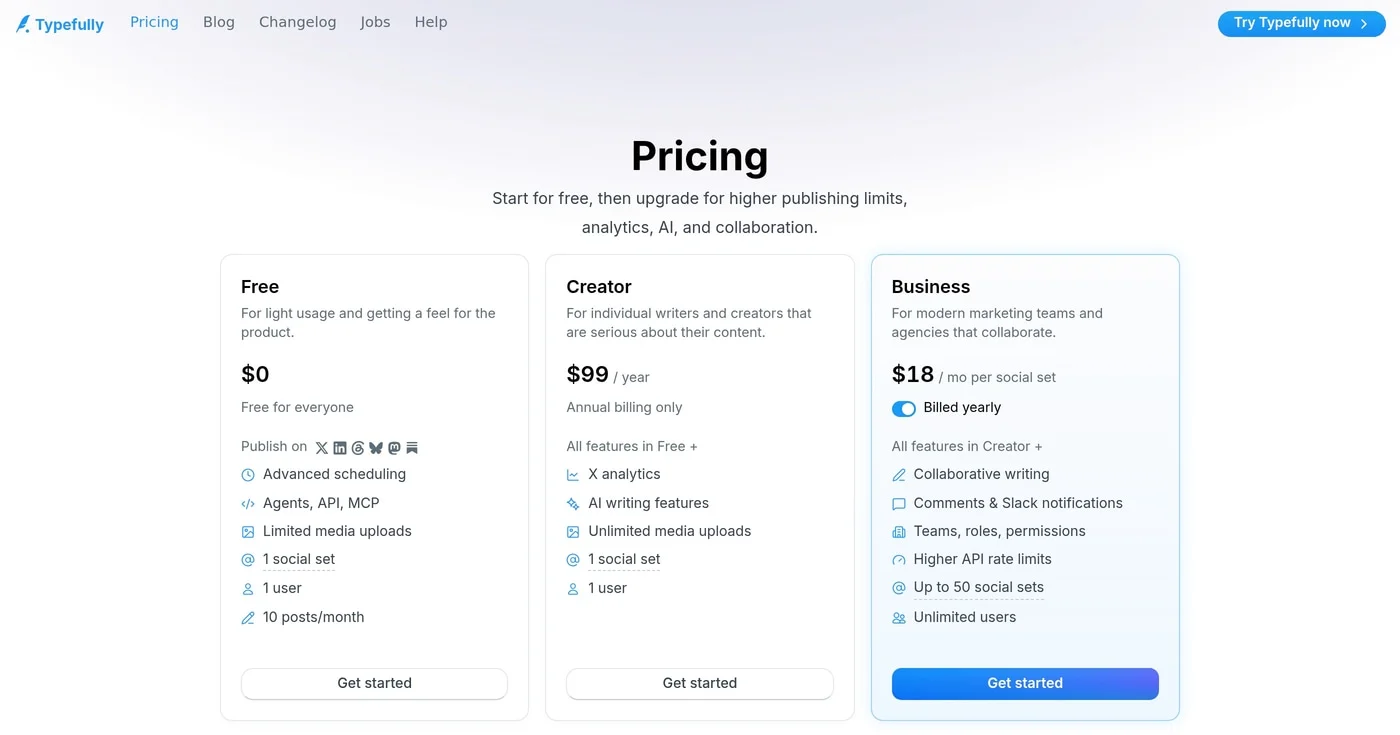
Free is $0, Creator is $99/year, and Business is $18 per set. Typefully pricing still excludes X Premium, LinkedIn analytics, and a monthly Creator bill.
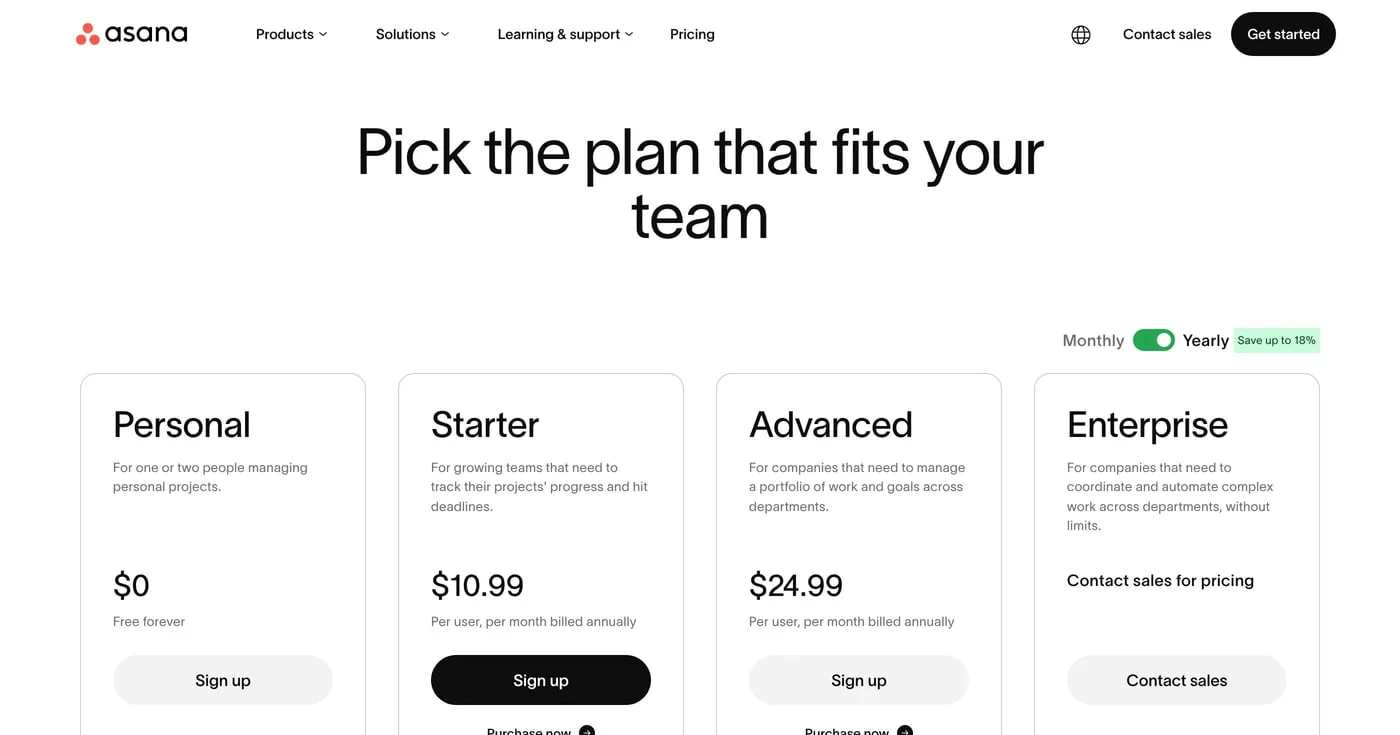
Asana pricing review: Starter is $10.99/user/mo yearly, but paid plans start at 2 seats and 6 people bill as 10. Plans, invoice math, monday.com vs ClickUp.
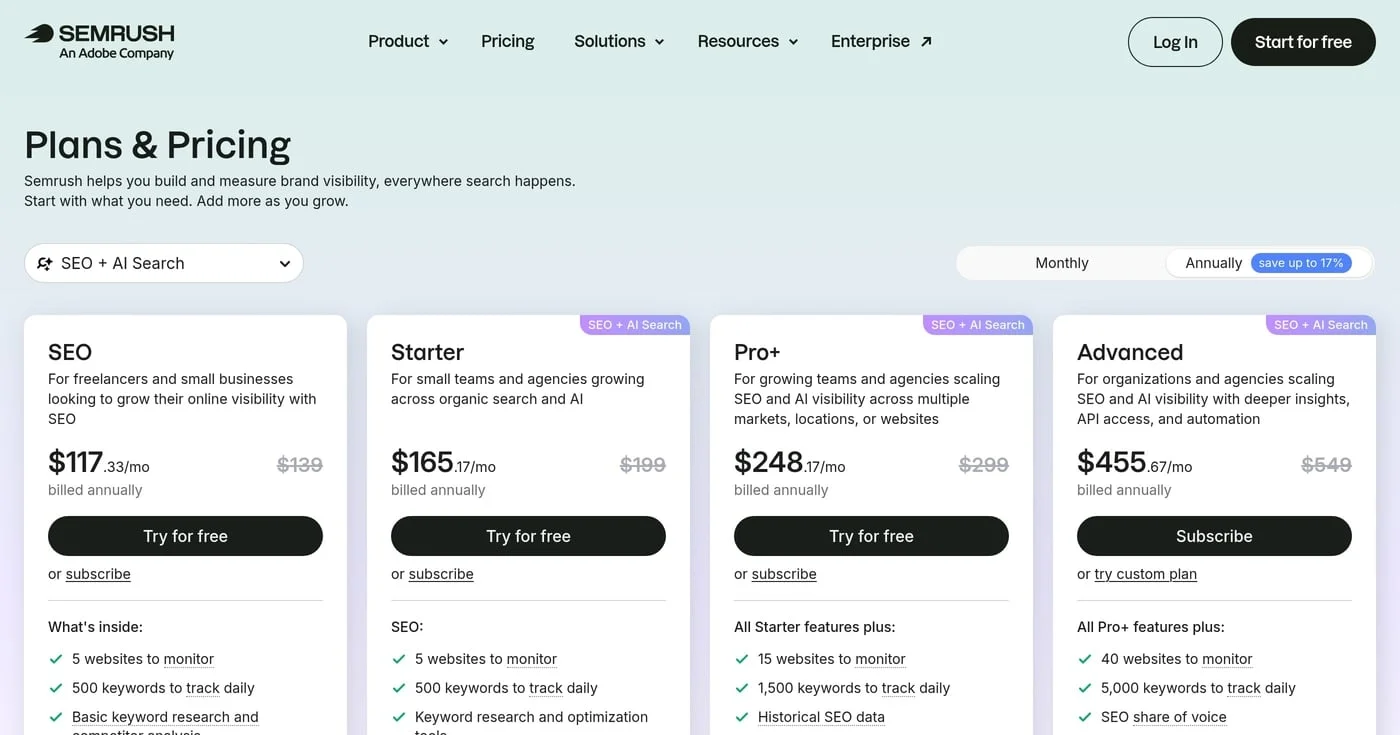
As of September 2026, Semrush SEO is $139/mo and Starter is $199. One seat is included; extra users, $99 AI Visibility, and toolkits set the real invoice.
